Pharmacy billing software for [ Indian medical shops ]
Bill a customer in seconds. Know every batch and expiry date. Keep your GST records ready. Wiseventory is our billing app for medical shops, and you can start using it today.
Less counting. Less waste. Cleaner books.
Bill in seconds
Stop throwing away expired stock
Know which batch you sold
Answer an inspection calmly
New staff find medicines fast
File GST without re-typing
A medicine is not like other stock.
The same medicine comes in different batches, each with its own expiry date. If a batch is recalled, you have to know who bought it. Most billing apps were built for kirana shops and cannot do this.
Before you pick any software, check these:
- Batch-wise stock, not just total quantity
- Expiry alerts early enough to return stock
- GST bills with the right HSN code
- Schedule H and H1 tagging
- Thermal and A4 printing
- Search by salt, to suggest substitutes
- Reorder list based on what sells
- Exports your accountant can file from
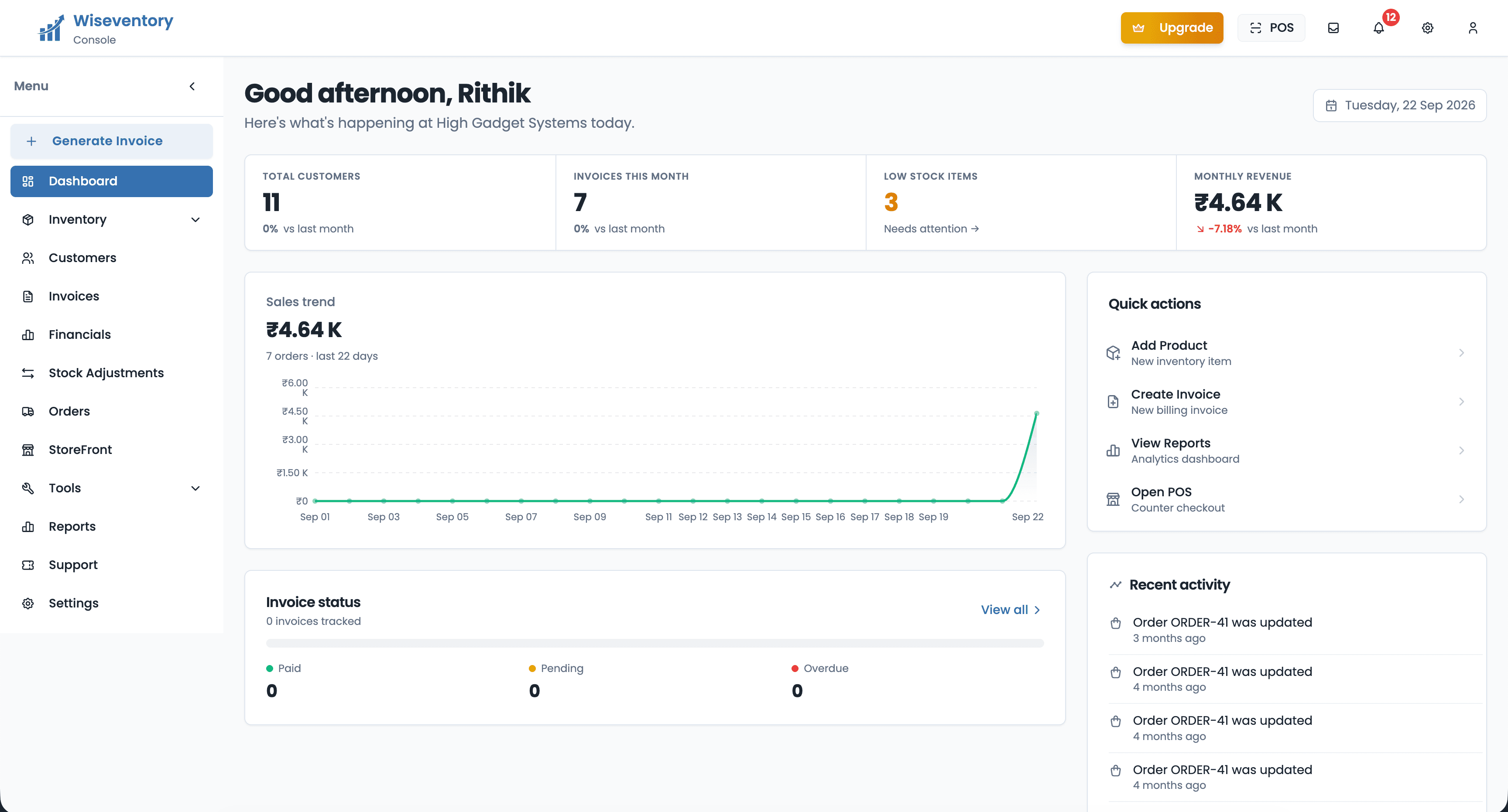
What changes at your counter.
| Daily work | Paper or spreadsheet | With the software |
|---|---|---|
| Making a bill | Written by hand, GST worked out after | Search, add, print. GST already applied |
| Which batch went out | Only if someone noted it | Printed on the bill automatically |
| Near-expiry medicines | Found at stock-taking, too late | Flagged 30, 60 and 90 days before |
| Schedule H1 register | A separate book to keep up | Saved with the sale |
| Month-end GST | Bills typed again for the accountant | Exported from the same bills |
Set up in one afternoon.
You do not have to close the shop or move all your stock in one go. Start with what sells daily.
- Step 1
Add your medicines
Type the name or scan the barcode. Put in the batch number, expiry date, purchase rate and selling rate. Most shops do their fast-moving 200 items first and add the rest as they sell.
- Step 2
Mark racks and schedules
Tag each medicine with its rack, and mark it as Schedule H, H1 or OTC. This is the part that saves you later, during a rush or an inspection.
- Step 3
Start billing
Print from a thermal printer or A4. Your stock drops as you bill, and the day's sale is ready in the evening without adding anything up.
Start free. Pay when it earns its place.
Wiseventory is free to begin with, and you do not need a card. Bill from it for a week, check the expiry list, and see what it catches. Paid plans raise the limits and add features, and the current rates are on the Wiseventory site.
For most shops the cost is settled by the returns alone. One strip of a slow-moving medicine sent back in time is money you would otherwise have written off at the end of the quarter.
- No card to start
- Works on the phone or PC you have
- Your data stays in your account
- Support answers in English and Malayalam
Single medical shop
Small pharmacy chain
Hospital or big chain
Why we built this.
We are a software company in Alappuzha, Kerala. We kept meeting shop owners who were running a serious business on a notebook and a calculator, and losing real money to stock nobody noticed going out of date.
So we built Wiseventory, and we still run it. The people who answer your questions are the people who write the code. If something in your shop works differently, tell us — that is usually how the next feature gets decided.
Byndbit Software (OPC) Pvt Ltd
Alappuzha, Kerala · hi@byndbit.com
Common questions.
What is pharmacy billing software?
Does it track batch numbers and expiry?
Are the bills GST-ready?
Can I keep prescription and OTC medicines together?
How long does it take to start?
What does it cost?
Can I use it on more than one counter?
Is my data safe if my phone or computer is lost?
Can my accountant get the data in Tally?
Can you build custom software for a chain or hospital pharmacy?
Print your first bill today.
Free to start, no card needed. Add your medicines with their batches, and bill from the counter in minutes.